Keep the moments
Mark broadcast moments with a shortcut, then review viewer samples and chat reactions. The app does not record video or audio.
 Streamer Assist
A Windows desktop app for broadcast chat archives, viewer raffles, polls and weighted roulette across CHZZK, YouTube and Twitch.
The app interface is currently Korean. Find installers and version details in the releases.
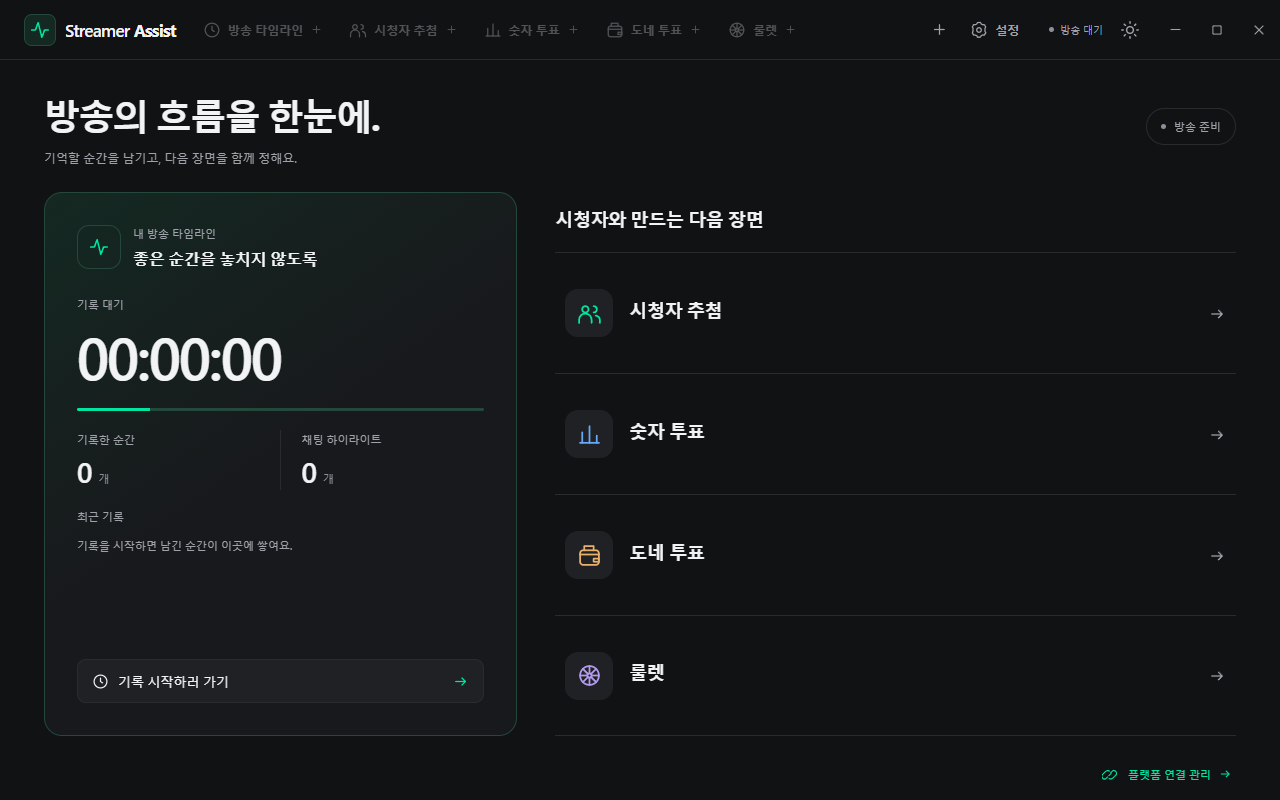
Before, during and after the stream
Mark broadcast moments with a shortcut, then review viewer samples and chat reactions. The app does not record video or audio.
Run chat-based raffles, number votes, votes from supported donation messages and weighted roulette. Set an optional closing timer for votes.
Search archives by date and platform, inspect local statistics, and import available platform replay chat into your records.
Arrange tools in tabs and separate windows, restore layouts, and adjust themes, text size and keyboard shortcuts.
Run on Windows 10/11 x64. Generated test chat lets you try the main tools without connecting an account or making a payment.
In Settings → Platform connections, add a CHZZK channel or connect YouTube/Twitch. Real reception requires platform permissions and a supported broadcast.
Start a broadcast record, then open raffles or polls. Optional AI analysis runs when you choose a connected service and record scope and start it.
CHZZK · YouTube · Twitch
Connect the platforms you stream on to archive chat and involve your audience. Connection methods and available features vary by platform.
Connect with a public channel URL or ID. Public chat supports archives, raffles, number votes and supported Cheese donation votes. The app uses an unofficial read-only connection and does not support login-restricted streams.
Connect by authorizing your broadcast channel account with Google. Active live chat and supported Super Chat messages support archives, raffles and votes, including supported native YouTube live polls.
Connect by authorizing chat-read access with your broadcast account on Twitch. Use chat archives, highlights, number votes and subscriber raffles. Bits donation voting and native Twitch polls are not yet supported.
Authorize YouTube on Google's consent screen and Twitch on Twitch's consent screen in your browser. You do not enter platform passwords into the app. CHZZK connects with a public channel URL or ID.
Platform channel details, connection tokens and broadcast/chat records are managed in the app profile on this PC. Connection tokens and original archives are encrypted and are not sent to a developer-operated application server.
Disconnect platforms and delete saved records in the app. You can also revoke authorized access in your Google or Twitch account's connected-app settings. You manage files that you export separately.
Project and support
Developed and maintained by yechankun (Store publisher: Yeong). Report issues or request features through GitHub Issues. Do not post account tokens or personal information publicly.